Why General Text-to-Speech Extensions Don't Work Well on Twitter (And What Does)

You installed a text-to-speech extension. You opened your Twitter feed. You pressed "read aloud" and... it started reading the timestamps, the advertisement copy, the navigation buttons, the "Show more" links, the reply counts. Everything.
Why does this happen? Why does TTS work fine on blog posts but fail on Twitter?
The answer is technical, but it matters for understanding which tools will actually work for listening to your Twitter feed.
Key Takeaways
- Twitter uses a dynamic, JavaScript-heavy DOM structure, not static HTML
- Infinite scroll and lazy loading mean content is constantly added and removed from the page
- React's virtual DOM breaks traditional text scraping approaches
- General TTS extensions read all visible text, including ads, UI, timestamps, metadata
- Twitter changes its HTML structure frequently, breaking extensions that rely on DOM queries
- Copy-paste workflows lose thread context and tweet order
- Chrome's built-in TTS has a 14-second cutoff bug with pre-loaded voices
- Feed-specific TTS needs to understand tweet structure, not just "read visible text"
- Xeder solves these problems by being built specifically for Twitter's architecture
Problem 1: Twitter's Dynamic DOM (Infinite Scroll and Lazy Loading)
The Problem
Twitter doesn't serve your entire feed as static HTML when you load the page. Instead, it uses JavaScript to load tweets dynamically. As you scroll, more tweets are fetched from the server and inserted into the page.
This is called lazy loading. It's efficient for the browser, but it breaks traditional TTS extensions that expect a static page with all content already loaded.
<body>
<tweet>Tweet 1</tweet>
<tweet>Tweet 2</tweet>
<tweet>Tweet 3</tweet>
</body>
// Twitter with lazy loading:
<body>
<tweet>Tweet 1</tweet>
<tweet>Tweet 2</tweet>
// Tweet 3-100 not loaded yet. They load as you scroll.
General TTS extensions can only read what's visible on the page right now. If you start listening from the top of your feed, the extension might read the first 10 tweets, then stop because it's still reading the same first 10 even though new tweets have been loaded below.
Problem 2: React's Virtual DOM (Not the Real DOM)
The Problem
Twitter uses React, a JavaScript framework that maintains a "virtual" representation of the page separate from the actual DOM. When you scroll, React updates the virtual DOM, which then updates the real DOM.
Extensions that try to query the DOM directly (looking for specific HTML elements) can get confused because the DOM structure is constantly changing, and the structure might not match what they expect.
For example, an extension might look for a div with class tweet-text. But React might change that class name, or restructure the element hierarchy. Now the extension can't find tweets at all.
Twitter updates its structure regularly, which breaks extensions that rely on scraping specific DOM elements.
Problem 3: General TTS Reads Everything on the Page
The Problem
When a general TTS extension like Read Aloud is told to read the page, it reads all visible text. That includes:
- The tweet text (what you want)
- The author name (okay, you might want this)
- The timestamp ("8:42 AM · Mar 14, 2026")
- The view count ("125.3K Views")
- The engagement metrics ("1.2K Likes")
- The action buttons ("Like", "Reply", "Share", "More")
- Promoted tweets and advertisements
- Navigation text ("Explore", "Bookmarks", "Messages")
- Collapsed replies ("Show more replies")
From a text perspective, all of this is "text on the page." But from a user perspective, only the tweet content is valuable. The rest is noise.
A feed-specific tool like Xeder understands which text is a tweet, which is metadata, and which is an advertisement. It can filter accordingly.
Problem 4: Chrome's 14-Second TTS Bug
The Problem
Chrome has a known bug where its built-in text-to-speech cuts off after approximately 14 seconds when using pre-loaded voice packs.
If you're using Chrome's native TTS (not a cloud service), and a tweet is long, or you're reading multiple tweets in sequence, the audio stops abruptly at 14 seconds.
This affects any extension using Chrome's built-in TTS without cloud services. It doesn't affect cloud-based TTS like Google Cloud, Azure, or Amazon TTS.
Xeder uses Google Cloud TTS, which is not affected by this bug.
Problem 5: Copy-Paste Loses Context
The Problem
When you manually copy a tweet and paste it into a TTS tool (like Speechify), you lose context:
- You lose the author (you have to copy that separately)
- You lose the thread structure (which tweet is a reply to which)
- You lose engagement signals (how many people liked it)
- You lose the timestamp and context of when it was posted
- You have to repeat this process for every tweet
You're no longer reading a feed. You're reading isolated text snippets.
A tool like Xeder reads your feed as a feed, preserving all the relational information between tweets.
Problem 6: Twitter Actively Changes Its Structure
The Problem
Twitter (now X) is a living product. The team regularly updates the HTML structure, changes class names, reorganizes components, and modifies how the DOM is built.
An extension that works great today might break in a month if Twitter changes its DOM structure in a way the extension wasn't designed for.
This is why Tweet2Audio, an older Twitter TTS extension, doesn't work anymore. It was built when Twitter had a different HTML structure. When Twitter changed, the extension broke. The original author stopped maintaining it, so it stayed broken.
A tool needs to be actively maintained and specifically designed for Twitter to stay working as the platform evolves.
How Xeder Solves These Problems
Solution 1: Built Specifically for Twitter
Xeder is designed with Twitter's architecture in mind. It understands React, lazy loading, and how Twitter structures tweet data. It's not trying to read generic web pages. It's reading a specific platform designed in a specific way.
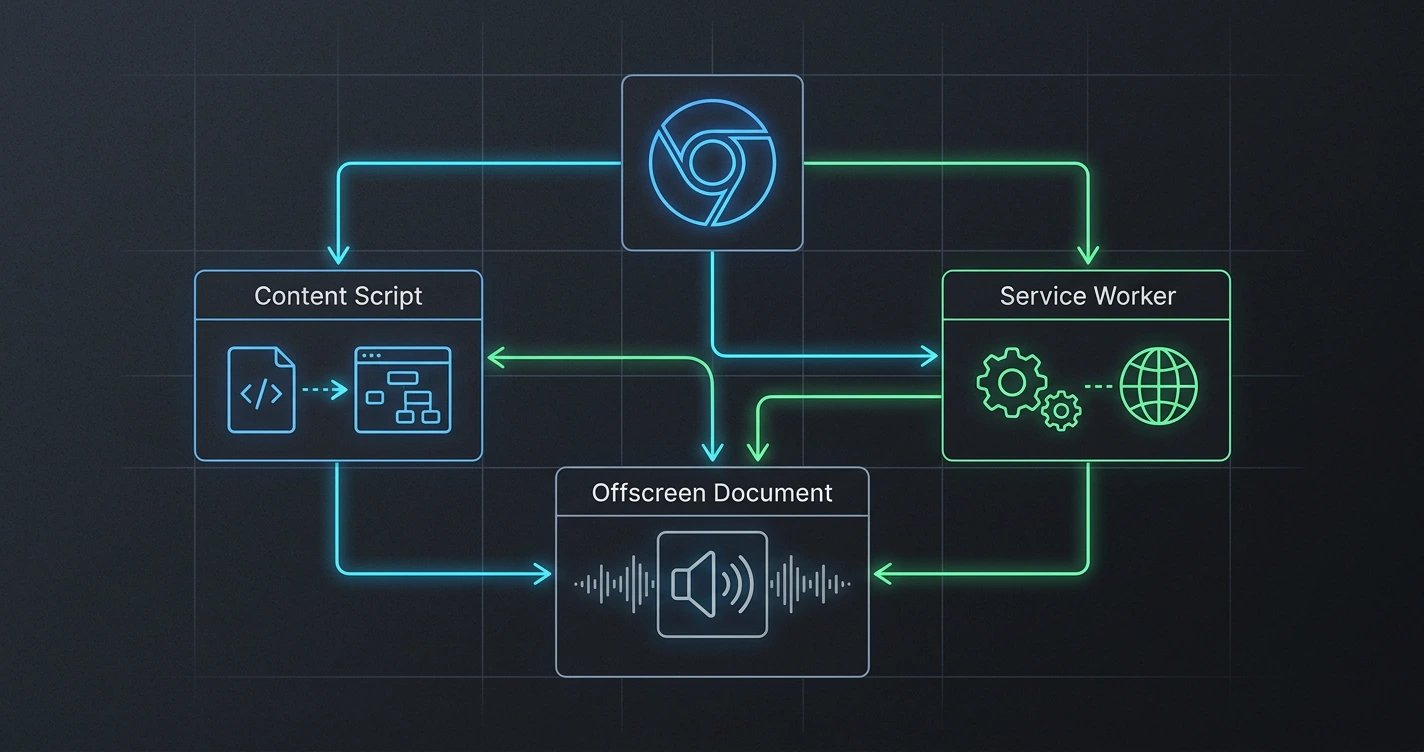
Solution 2: Content Script Understanding
Xeder uses a Chrome content script that can interact with the page at a lower level, understanding the actual data structures and tweet objects, not just scraping visible HTML.
This is more robust than trying to parse HTML selectors, because it taps into the actual data, not the representation.
Solution 3: Google Cloud TTS (No Chrome Bug)
By using Google Cloud Text-to-Speech, Xeder avoids the Chrome 14-second bug entirely. You get complete, uninterrupted audio for any length tweet.
Google Cloud TTS also means high-quality voices that are constantly improved by Google as they update their models.
Solution 4: Feed Awareness
Xeder understands what's a tweet, what's an ad, what's metadata. It reads only the content you want to hear and skips the noise. Promoted tweets are skipped. Timestamps aren't read. UI elements aren't read.
You hear a clean feed of actual tweet content.
Solution 5: Actively Maintained
Xeder is actively maintained and updated. As Twitter changes its DOM structure, Xeder is updated to work with those changes. If something breaks, it gets fixed.
This is why tools like Tweet2Audio fail over time and tools like Xeder keep working.
The Technical Summary
Here's why general TTS doesn't work well on Twitter:
- Twitter uses a dynamic, JavaScript-heavy architecture, not static HTML
- Tweets are loaded dynamically as you scroll (lazy loading)
- React's virtual DOM makes traditional HTML scraping fragile
- Reading "all visible text" includes ads, UI, and metadata that users don't want to hear
- Chrome has a 14-second TTS bug that affects browser-based voices
- Manual copy-paste workflows lose context and feed structure
- Twitter actively changes its structure, breaking extensions not designed for it
A purpose-built tool like Xeder solves all of these problems because it's designed specifically to work with Twitter's actual architecture, not trying to adapt a general tool to fit.
Ready for a Solution That Actually Works?
Xeder is built for Twitter. No Chrome bugs, no ads, no noise. Just your feed, read aloud.
Get Xeder on Chrome Web StoreLearn More
Want to know all the methods for listening to your Twitter feed? See how to listen to your Twitter feed in 2026: every method compared.
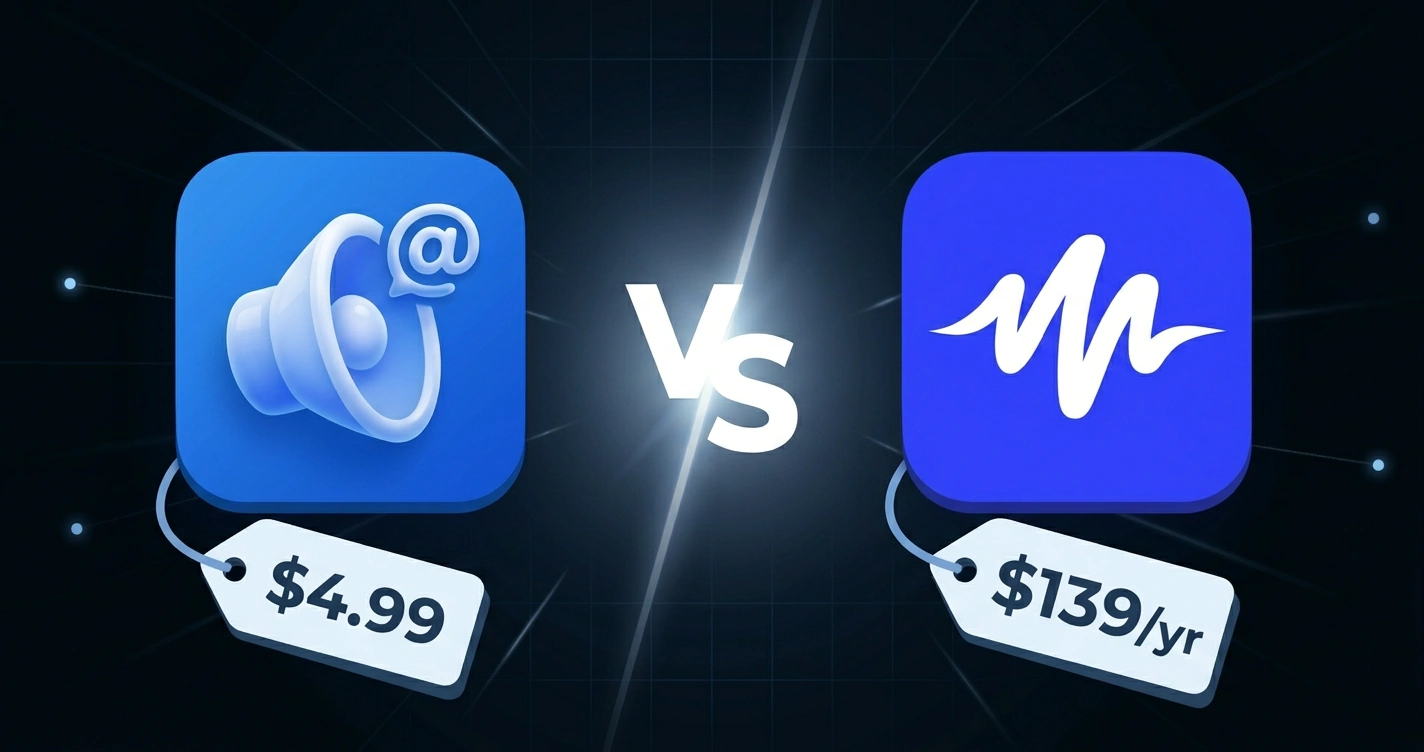
Comparing Xeder to other TTS tools? Check out Xeder vs. Speechify or Xeder vs. Read Aloud.
Frequently Asked Questions
If I understand the technical problems, can I build my own TTS extension for Twitter?
Technically yes, but it's a lot of work. You'd need to understand React, chrome extension development, the Web Audio API, and Twitter's specific DOM structure. Then you'd need to maintain it as Twitter changes. Xeder has already done this work.
Will Xeder break if Twitter changes again?
Possibly, but Xeder is actively maintained. If Twitter makes changes, Xeder will be updated to work with the new structure. This is the advantage of using a tool that's purpose-built and actively maintained.
Why doesn't Read Aloud just skip ads and metadata?
Because Read Aloud is a general tool designed to work on any website. It can't know which website is which, or what counts as "metadata" versus "content." It just reads visible text. Adding Twitter-specific logic would bloat the extension and complicate it.
Is the Chrome 14-second bug documented officially?
Yes, it's a known bug in Chromium (the open-source project behind Chrome). It affects the Web Speech API's text-to-speech with certain voice packs. Google Cloud TTS doesn't use the Web Speech API, so it's not affected.
Could Twitter block Xeder or other TTS tools?
Twitter could theoretically add detection for TTS tools and block them, but that seems unlikely. TTS is a legitimate accessibility feature, and blocking accessibility tools would be controversial. That said, any tool that relies on scraping or extension access is theoretically at risk if Twitter decides to block it.
Is there a way to make general TTS work better on Twitter?
Users can manually select just the tweet text (not the metadata) and read only that selection. But this requires manual effort for each tweet. It's why feed-specific tools exist.
Does Xeder have the same lazy loading problem as general TTS?
Xeder is designed to work with lazy loading. It loads tweets as you scroll and continues reading them as they appear. It's built to handle dynamic content, not static pages.